Run 2 Unblocked — Play Free Online
More Runners & Arcade games




Run 2 unblocked: play Run 2 online free right here in your browser — no download, no sign-up, works on a school Chromebook.
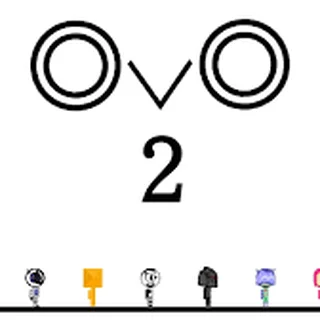
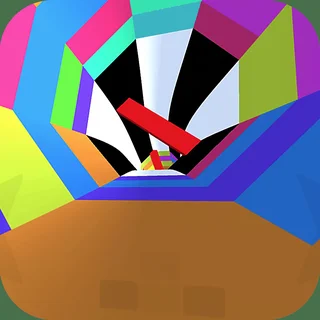
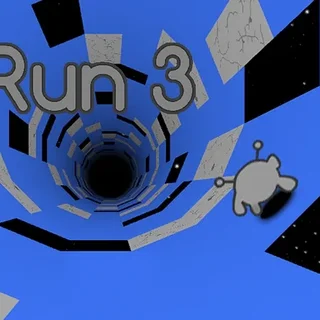
Run 2 is a fast-paced 3D platform runner that challenges your spatial orientation and reflexes. Suspended in deep space, you guide an agile alien character through a series of floating geometric tunnels. Unlike conventional side-scrolling platformers, the world in this game wraps around you: moving toward any side wall rotates the entire tunnel, instantly flipping gravity and turning walls into walkable ground.
The core thrill comes from maintaining momentum while reading architectural hazards ahead. Every stage introduces narrow pathways, disappearing floor tiles, and sudden drop-offs into the void. Because the speed steadily climbs as you advance, success demands quick visual processing and confident finger work on the keyboard.
For visitors exploring Parking Fury, this title delivers a different flavour of spatial mastery. While parking titles test patient steering in tight physical spaces, this space runner demands split-second decision-making at high speed, making it an engaging test of dexterity.
How to play
Getting started takes only a moment, but mastering every route requires disciplined practice. Use the following keyboard layout to navigate the cosmic courses:
- Steer Left / Right: Press the Left and Right Arrow keys or A and D to drift across the track.
- Jump: Press the Up Arrow key, Spacebar, or W to leap over open voids and crumbling platforms.
- Shift Gravity: Steer directly onto a left or right vertical wall to rotate the tunnel 90 degrees and create a new floor.
- Pause / Menu: Press P or Esc to pause the run and view your stage selection.
At the start of your journey, you can choose between two distinct characters. The standard Runner provides balanced acceleration and dependable jumping arcs, ideal for learning course layouts. The Skater moves at higher velocity and glides farther through the air on skates, offering greater range over long chasms at the cost of trickier directional control.
Tips for clearing difficult levels
To conquer the later space sectors without falling into the abyss, keep these core strategies in mind:
- Scan two steps ahead: Do not focus exclusively on your character's feet. Look further down the tube to identify where gaps appear and plan which wall surface provides a continuous bridge.
- Rotate early before gaps: Shifting gravity onto a side wall often bypasses large broken floor sections entirely. Steer onto side surfaces well before approaching a gap rather than jumping at the last second.
- Switch characters when stuck: If a stage features wide, separated platforms that the Runner cannot clear, switch to the Skater for extra glide. Conversely, switch back to the Runner on narrow, zig-zagging courses where precise stops matter.
- Tap lightly for micro-adjustments: Holding down directional keys on fast courses often causes over-steering into the abyss. Use short, crisp taps to line up your landing points.
Similar games on Parking Fury
If you enjoy the fast reflexes and spatial problem-solving in Run 2, several companion titles in the catalogue offer related challenges. Drive Mad tests balance and physics-based driving over unpredictable obstacle courses, rewarding careful throttle modulation. For high-speed vehicle control, Driftwave offers sleek handling through tight curves, while the classic Parking Fury series tests your ability to manoeuvre vehicles into tricky spots without a scratch.
Run 2 runs directly in your web browser with no additional downloads or installation required. All stage completion progress is saved locally on your device, allowing you to tackle a few quick levels or complete the full cosmic map at your own pace.
Questions about Run 2
Is Run 2 unblocked at school?
Run 2 runs in an ordinary browser tab from parkingfury.org, with nothing to download or install, so it plays on most school Chromebooks and work computers. If a network filter blocks the site, only that network's administrator can change it.
What is the difference between the Runner and Skater in Run 2?
The Runner offers standard jump height and steady steering control, making precision footing easier. The Skater moves faster and glides higher over long distances, but requires earlier timing to turn.
How does gravity rotation work in Run 2?
When your character makes contact with a side wall, the entire 3D tunnel rotates ninety degrees so the wall becomes your new walking floor, allowing you to bypass floor gaps.
What controls are used to steer and jump in Run 2?
Use the Left and Right Arrow keys or A and D to steer sideways, and press the Up Arrow key, Spacebar, or W to jump over platform gaps.
Does Run 2 save level progress in the browser?
Yes, your completed stages and character unlocks are saved automatically to your local browser storage so you can resume your space run later.