Parking Fury Levels and Stars: All 10 Lots Explained
Published · 3 min read
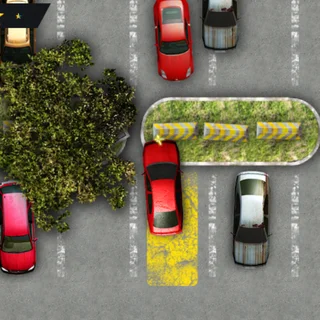
Parking Fury has ten levels and 42 cars to park. Each level is its own lot, and each one is a little more crowded than the last. This guide covers how levels unlock, what changes as you go, and how to replay for three stars. It also clears up a few things people wonder about, like saving and the touch controls.
How levels unlock
Press the big play button on the main menu to reach Select Level, a grid of ten numbered squares with three stars above each. Only level 1 is open at the start. Clear a level — park every car before your stars run out — and the next one opens. Levels you have cleared stay open, so you can go back to any of them.
Cars per level
A level is not one parking job. It is a short series of them. The game hands you one car at a time. When it is parked, the camera moves to the next car and a new bay lights up. The counts read from the game's own level files:
- Levels 1, 3, 4, 5, 6 and 9: four cars each.
- Level 2: three cars.
- Levels 7, 8 and 10: five cars each.
Your stars carry across all the cars in a level. A scrape on the first car still counts at the end. That is why the last car of a five-car level often feels hardest: you are parking it with no margin left.
What gets harder
The early lots are open, with long straight lanes and bays at the end of them. Later lots add more of everything: rows of fences, flower planters, stacks of wooden crates, barrels and yellow-striped concrete blocks, plus more parked cars around the bays. The routes bend more, and some bays sit side-on so you have to turn in or reverse in. Nothing moves except you. There is no traffic and no timer, so the difficulty is all in the space.
Replaying for three stars
The number of stars saved for a level is the number you finished with, from zero to three in half-star steps. To raise it, pick the level again from Select Level. A few habits pay off on replays:
- You already know the route, so plan each car's line before you start moving.
- Save reversing for the tight bays. Driving past and backing in is slow, but it rarely touches anything.
- If a run starts badly — a star gone on the first car — it is fine to lose the level on purpose and start fresh.
Saving, sound and touch
Stars and unlocked levels are kept in your browser's local storage, so they are there next time you visit on the same browser. A private window or clearing site data starts you from zero. The speaker button on the main menu mutes the music and effects. P or Esc pauses a level. On a phone or tablet the game draws a steering wheel in one corner and gas and brake pedals in the other. Hold the wheel and drag to steer.
After Parking Fury
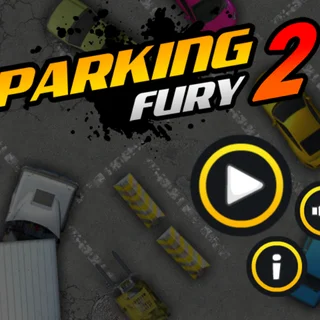
If you finish all ten, the series goes on: Parking Fury 2 brings new lots with lorries and forklifts in the way, and Parking Fury 3 moves the lots to night-time. They are all on the games page, with other parking and driving games.
Want to start? Play Parking Fury, and read how to park without a scratch first.
More from the blog
- Parking Fury Tips: How to Park Without a Scratch
How the car handles, what counts as parked, and a five-step routine for keeping all three stars in Parking Fury.